

Description
Download Windows 7 Account Screen Edition – Free Login Screen Customizer for Windows 7
Overview
Windows 7 Account Screen Edition is a lightweight, free utility that lets you personalize the login (also called lock or account) screen on Windows 7 and earlier Windows versions. Built for users who want a quick visual makeover without diving into complex registry hacks, the program replaces the default background with any image you choose, supports multiple languages (including English and German), and stores the new configuration safely in the system registry. Since its first catalog entry in 2011, the tool has amassed over 28 000 downloads, with a steady interest from users in Puerto Rico, Kenya, and Brazil. The last official update was released on 16 June 2011, but the core functionality remains compatible with the original Windows 7 login architecture. Because it does not install heavy drivers or services, the installer occupies less than 2 MB of disk space, making it an ideal choice for older machines with limited storage. The application belongs to the “Desktop customization software” category, under the “Login Screens” sub‑category, and is designed specifically for Windows 7 and its predecessors. Whether you prefer a personal family photo, a corporate logo, or a soothing nature wallpaper, Windows 7 Account Screen Edition provides a straightforward, secure way to give your PC a fresh first‑impression look.
Key Features
- Simple Image Replacement: Choose any BMP, JPG, or PNG file as the new login background.
- Multi‑Language Support: Interface available in English and German, with easy language switching.
- Low System Footprint: Installer size under 2 MB; runs without additional services or drivers.
- Secure Registry Editing: The program writes directly to the correct registry keys, reducing the risk of corrupting the login process.
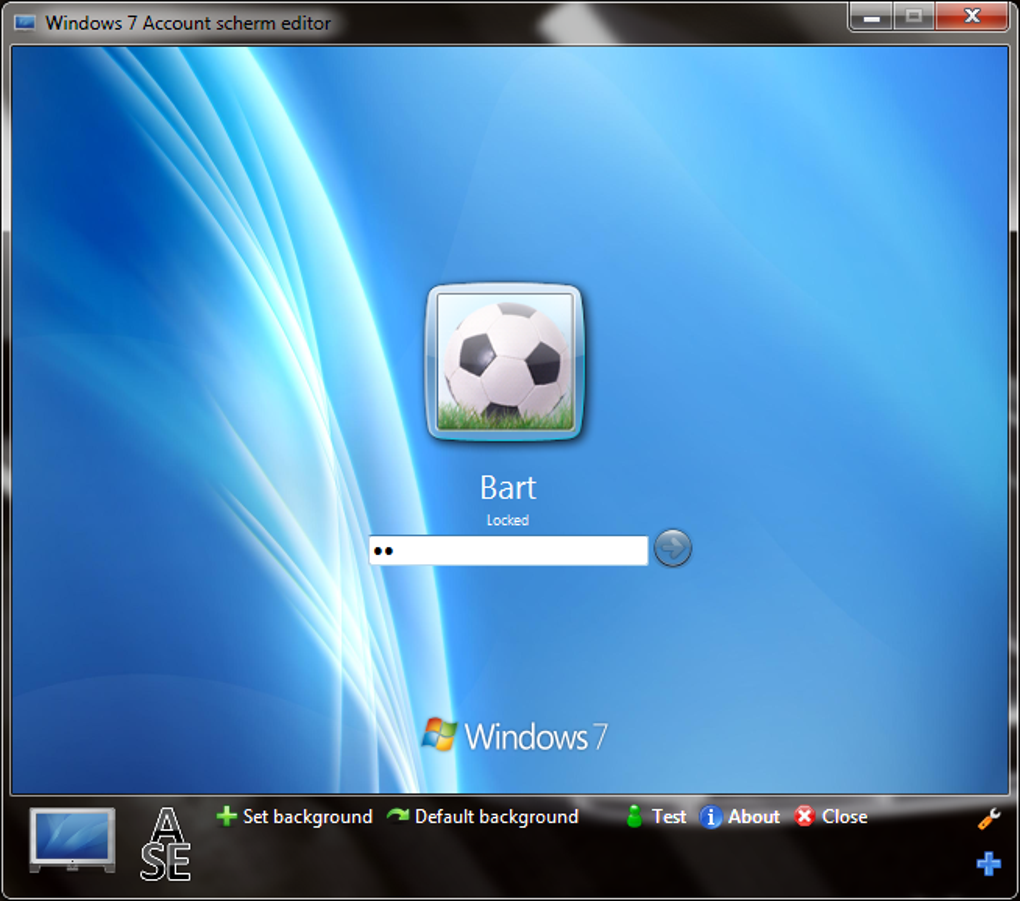
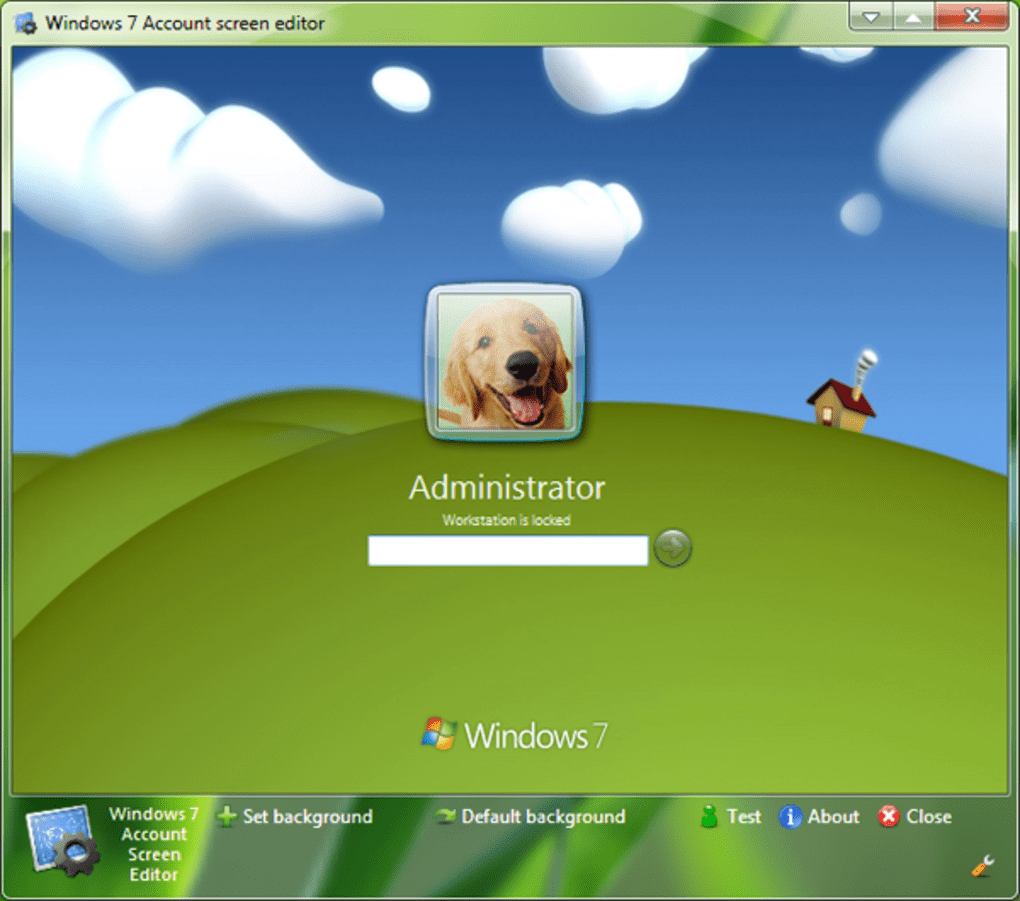
- Preview Mode: See how the selected image will appear on the lock screen before committing the change.
- One‑Click Restore: Revert to the default Windows background instantly if you change your mind.
- Compatibility Layer: Works on Windows 7, Windows Vista, and Windows XP without requiring extra patches.
- Portable Version Available: Run the utility from a USB stick on multiple PCs without installation.
All these features are wrapped in an intuitive graphical user interface that mirrors the classic Windows 7 control panels. Because the tool does not require administrative privileges beyond the initial change (which is typical for registry modifications), it can be used on both personal and corporate computers, provided the user has the necessary rights. The program also includes a small “Help” section that explains the image size recommendations (recommended resolution: 1024 × 768 pixels) and common troubleshooting steps, such as clearing the thumbnail cache if the new background does not appear immediately.
Installation & Usage Guide
Getting Windows 7 Account Screen Edition up and running is a matter of minutes. Follow these steps for a smooth experience:
- Download the Installer: Click the “Download” button on the official page. The file is named
Win7AccountScreenEdition.exeand is typically under 2 MB. - Run the Installer: Double‑click the executable. Windows may prompt you to confirm that you want to allow the program to make changes; click “Yes”. The installer will guide you through a standard “Next‑Next‑Finish” process.
- Select Installation Folder: The default location is
C:\Program Files\Win7AccountScreenEdition. You can change this if you prefer a custom directory, but keep the path short to avoid path‑length issues. - Complete Installation: After the files copy, the installer creates a shortcut on the desktop and adds an entry to the Start menu.
- Launch the Application: Open the program via the shortcut. The main window displays a preview area, a “Browse” button to select your image, and two action buttons – “Apply” and “Restore Default”.
- Choose Your Image: Click “Browse”, navigate to the folder containing your desired picture, and select it. The preview pane instantly shows how the image will look on the login screen.
- Apply the Change: Press “Apply”. The utility writes the necessary values to the registry (under
HKEY_LOCAL_MACHINE\SOFTWARE\Microsoft\Windows\CurrentVersion\Authentication\LogonUI\Background) and restarts the “LogonUI” process. You may be asked to log out or restart to see the change. - Verify the Result: Lock your computer (Windows + L) or sign out. The new background should appear immediately. If it does not, clear the thumbnail cache by running
cleanmgrand selecting “Thumbnails”. - Restore Default (Optional): If you wish to revert, open the program again and click “Restore Default”. The original Windows background will be reinstated without further steps.
For advanced users, the portable version can be extracted from the installer using a tool like 7‑Zip. Once extracted, simply run Win7AccountScreenEdition.exe from the portable folder – no installation is required. This is handy for IT administrators who need to apply a custom login screen across multiple workstations quickly.
Compatibility, Pros & Cons, FAQ, and Final Verdict
Windows 7 Account Screen Edition is officially compatible with Windows 7, Windows Vista, and Windows XP (all 32‑bit and 64‑bit editions). The program does not support Windows 8, Windows 10, or newer versions because those systems use a different lock‑screen architecture that requires a separate API.
Pros
- Free and lightweight – under 2 MB download.
- Intuitive UI that matches the Windows 7 look and feel.
- No need for manual registry editing; the tool handles it safely.
- Supports multiple image formats and provides a real‑time preview.
- Portable version available for quick deployment.
Cons
- Last updated in 2011 – no official support for newer Windows versions.
- Limited to BMP, JPG, PNG; does not support animated or high‑dynamic‑range images.
- Requires administrative rights to write to the registry.
- No built‑in backup of previous login backgrounds (must rely on “Restore Default”).
Frequently Asked Questions
Can I use a high‑resolution image (e.g., 1920×1080) as my login background?
Yes, you can use higher‑resolution images, but Windows 7 will scale them down to fit the screen. For the best visual quality, a resolution of 1024 × 768 is recommended.
Do I need an internet connection after the program is installed?
No. All functionality is local. The program does not call home or require online activation.
Will changing the login screen affect my user account pictures?
No. The utility only modifies the background image for the lock screen; user account pictures remain unchanged.
Is the software safe from malware or adware?
Yes. The official download is digitally signed and contains no bundled adware. Always download from the trusted source linked on this page.
Can I schedule the login background to change automatically?
The free version does not include a scheduler. For automatic rotation, you would need a third‑party script that calls the program’s command‑line switches.
Final Verdict & Call‑to‑Action
Windows 7 Account Screen Edition remains one of the simplest, most reliable ways to give an older Windows PC a fresh visual identity. Its zero‑cost nature, tiny footprint, and straightforward UI make it especially appealing to home users, small‑business IT staff, and anyone who still runs Windows 7 or earlier. While the lack of recent updates limits its usefulness on newer operating systems, the program fulfills its original promise: a secure, hassle‑free method to replace the default login screen. If you’re looking to personalize your workstation without risking system stability, download Windows 7 Account Screen Edition today and enjoy a customized login experience in just a few clicks.
Overall Rating: 4/5 – The tool delivers on its core promise, though it could benefit from a modern update.
Guides & Tutorials for Windows 7 Account Screen Edition
How to install Windows 7 Account Screen Edition
- Click the Preview / Download button above.
- Once redirected, accept the terms and click Install.
- Wait for the Windows 7 Account Screen Edition download to finish on your device.
How to use Windows 7 Account Screen Edition
This software is primarily used for its core features described above. Open the app after installation to explore its capabilities.
User Reviews for Windows 7 Account Screen Edition 0
No reviews found





